
One of the most difficult things I had to do was use dummy JSON data to be used in the Angular-Google-Maps library. I basically wanted my Angular application to take in dummy JSON data from a .json file.
Frantic googling and stack overflowing did not reap results that I had wish to see, and having different libraries for AngularJS and Angular did not help much with the confusion. I ended up posting a question on StackOverflow regarding this, got a few responses, but ultimately did not produce the Google Markers I needed to see on my project.
But all in all, I was finally able to have recognized json data and the solution is really simple, just two lines of code…
declare var require: any;
var json = require('./[yourFileNameHere].json');
For my example I placed a JSON file “usAirport.json” in my component folder and had this “json” variable initialized to the top of the app.component.ts file.
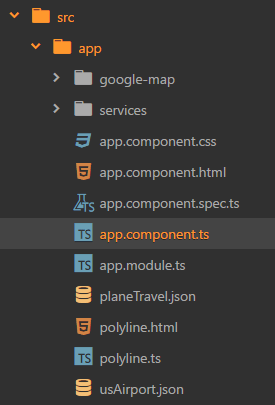
You can probably define this variable anywhere in the script file, but be cautious to have this order and of course before any use of the “json” variable later down the script to recognize the variable!

Check out Angular Google Maps: https://angular-maps.com, it’s a simple and easy-to-use library so far, just needs more attention in order to have more answered questions and documentation for users who use Google Maps for more complex functions.
 aonepathan blog